Combat & Voting in DungeonBox
Turn-based fights decided on phones — teach the table to vote fast and fight fair.
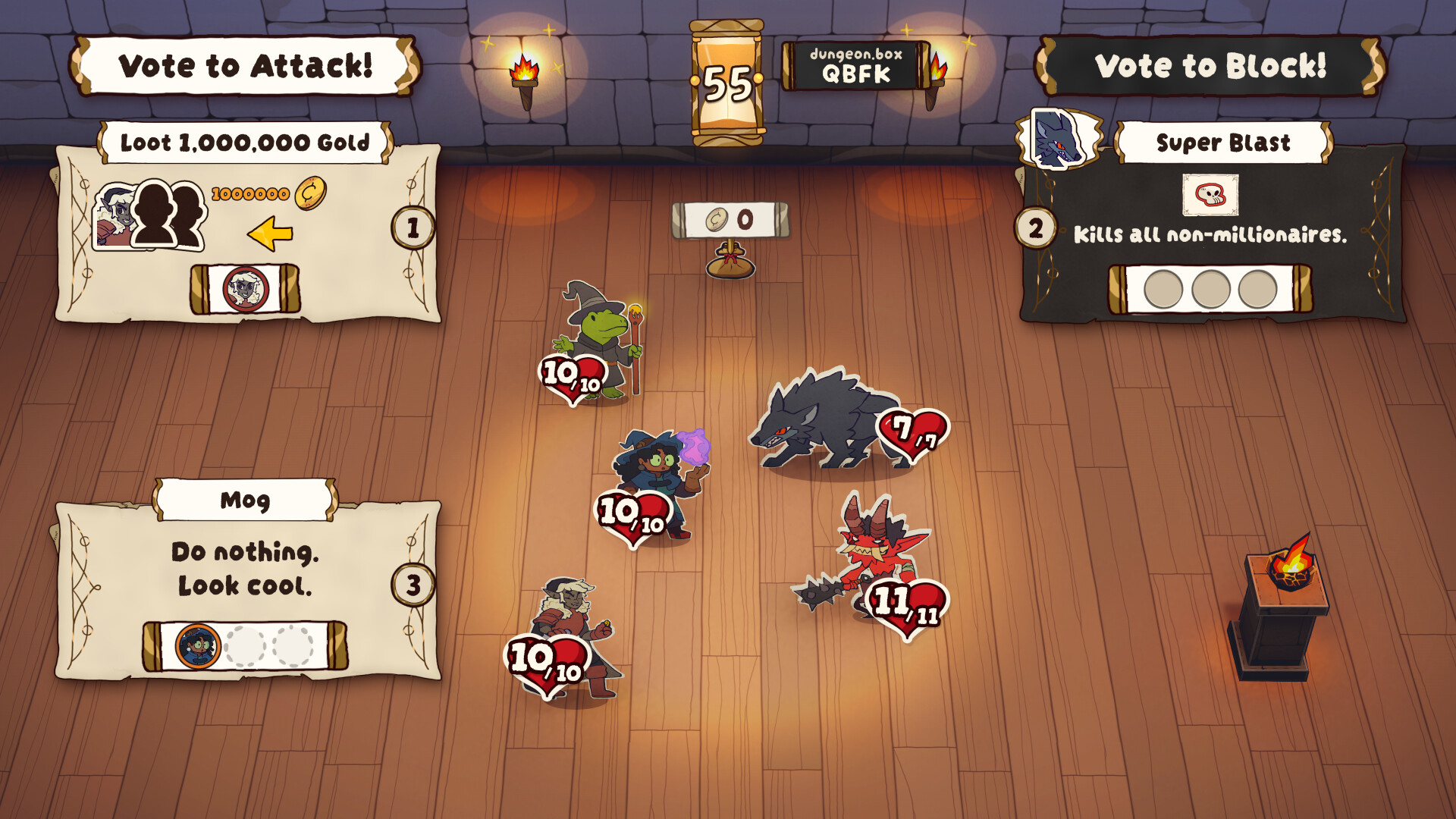
Combat in DungeonBox is turn-based and deliberately social. Instead of eight people mashing different gamepads, the party commits through card voting and phone prompts while the Steam host shows the shared battlefield. This guide assumes you already know how to join and understand the basic how to play loop. Hosts setting up the night should still skim Getting Started and the party host checklist.
Why voting sits inside combat
DungeonBox sells a party RPG fantasy for up to eight players. Pure free-for-all inputs would drown the narrator — whether that narrator is Computer DM (OpenAI GPT-4.1 with TTS) or a human Player DM with AI disabled. Card voting collapses chaos into readable choices: propose, vote, resolve, narrate. Skill checks still use the d20 on phones, including natural 20 and natural 1 drama, but group tactics go through votes so the table shares responsibility for risky Fireball placements or greedy Pickpocket attempts.
Treat votes as the party’s initiative conversation. Fast tables call the vote early; roleplay-heavy tables discuss one sentence each, then lock. Diss Track and other signature abilities still need clear timing so nobody burns a cooldown while the vote window is already closing.
Turn flow you can teach in one minute
- Encounter starts on the shared screen; phones receive combat UI.
- Eligible actions appear as cards or prompts for the active decision.
- Players vote or submit their personal action when the mode calls for individual commits.
- The d20 and stats resolve checks tied to the chosen action.
- Narration lands — AI voice, human DM, or both depending on mode.
- Next turn or next enemy beat begins until victory, retreat, or a quest branch.
CPU players fill empty seats so turn order stays dense when humans are late. Audience voting for streamers can tilt non-critical choices without giving chat a full hero kit. Remote Play Together guests see the same shared screen; their phones still handle the personal UI when the host’s setup allows it.
Checks, crits, and ability timing
Explain the d20 once before the first boss. Natural 20s should feel loud; natural 1s should invite creative failure rather than silent shame. Abilities such as Fireball (area pressure), Pickpocket (utility and greed), and Diss Track (flavor-forward disruption) exemplify how kits differ across the 12 handcrafted heroes. Point players at heroes and the players hub between sessions — not mid-timer — and use the tier list only if the table enjoys debating picks.
Do not invent exact unconfirmed roster names at the table if you are teaching from this wiki; say “your hero’s signature” and read what the phone shows. XP and stats matter across a labyrinth run, so a failed vote that wastes cooldowns hurts more in Lion’s Labyrinth than in a throwaway demo skirmish.
DM pacing for fights
Computer DM keeps descriptions moving when the party stalls. Player DM should narrate outcomes after votes resolve, not during the phone input window, or players will miss timers. You can disable AI entirely under Player DM if the human voice is enough. Pro DM credits were temporarily free during beta per Kickstarter updates — confirm current Steam status before promising paid tools.
Content rating changes the joke space, not the combat math. Family Friendly tables still get turn structure; Anything Goes tables still need clear votes so chaos stays intentional. Among the 100+ hand-written quests, some fights are optional skill-check gauntlets — read the prompt before assuming every encounter is a slugfest.
Practical table tips
- Mirror the combat UI language: say “vote the card” the same way the phone labels it.
- Appoint a soft timekeeper if debates exceed thirty seconds.
- Keep chargers on the table; dead phones break turn order.
- Practice one trash fight before the Gilded Serpent-adjacent set pieces.
- Verify host hardware on the system requirements page so frame pacing does not fake input lag.
Demo groups should note any combat limitations on the demo page. Full launch timing remains December 1, 2026 on Steam for Windows and macOS, with consoles planned in 2026. Voting-on-phones is the feature to protect across those ports.
After-action review
When the fight ends, spend one minute on what the vote taught you: who hard-committed early, who waited for perfect information, and whether CPU seats made turns clearer. Capture XP spikes and unfinished quest hooks before snacks win. Return to the Guides Hub for non-combat how-tos, and keep Links plus the wiki overview handy for official patches from Foxtail Games LLC.
Kickstarter support ($594,124 from 9,835 backers) paid for this card-voting fantasy. Use it: let the party own the scary call, then let the d20 and narrator make it legend.
Frequently Asked Questions
Quick answers for hosts, heroes, and first-time players.
Is combat real-time or turn-based?
Turn-based. The party uses phone prompts and card voting while the Steam host shows the shared fight.
Do individual players still roll skill checks in combat?
Yes. Phones resolve d20 skill checks, including natural 20 and natural 1 outcomes, alongside group votes for shared tactics.
Can stream chat join combat decisions?
If the host enables audience voting, viewers can influence without taking one of the eight hero seats.
What should we practice before a hard Lion's Labyrinth fight?
Run a short encounter to rehearse card voting, ability timing, and phone battery habits, then push into the papercraft campaign set pieces.