DungeonBox Players & Heroes
Roster roles, progression, and party tips for Foxtail Games' phone-powered RPG.
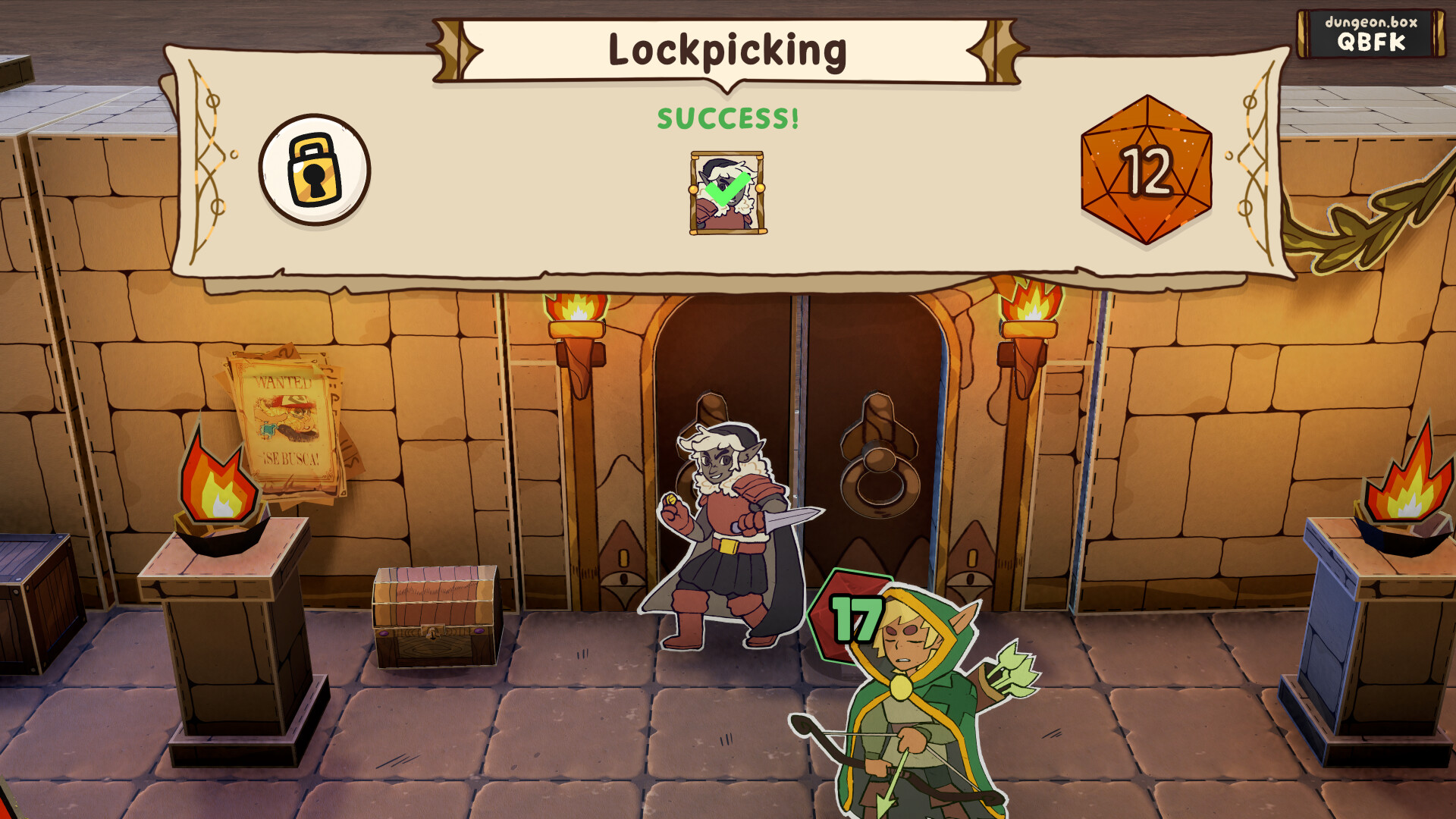
DungeonBox by Foxtail Games LLC is built around people, not padlocks of menus. Up to eight friends share one host screen while each person steers a hero from a phone browser at dungeon.box. This Players Hub collects everything you need to understand the roster, progression, and table dynamics before you dive into Lion’s Labyrinth or a freeform quest night.
What this hub covers
Use the child pages when you are ready for depth:
- Heroes — how the twelve-hero roster works, what to look for when picking a class fantasy, and how phones, votes, and skill checks interact with your pick.
- Abilities and XP — earning experience, raising stats, and unlocking signature moves such as Fireball, Pickpocket, and Diss Track, plus the Bard playlist stretch.
For a speculative pre-release look at support, damage, utility, and comedy roles, jump to the Heroes Tier List Hub. For host setup and hardware, see the Tools Hub and the party host checklist.
Party size and join flow
DungeonBox seats one to eight players. Empty chairs can be filled with CPU allies so smaller groups still feel like a full table. Guests open a browser, enter the room code shown on the host PC or Mac, and pick a hero—no dedicated app and no extra gamepads required. Remote friends can join the same way when the host keeps the session online; Steam Remote Play Together is also supported for streaming the main display.
New hosts should skim How to Join and Getting Started before the first night. A short practice run in the demo is the fastest way to confirm phones, Wi-Fi, and volume levels.
Heroes without spoiling the roster
Foxtail ships twelve handcrafted heroes. Official marketing highlights progression through XP, stat raises, and unlockable abilities rather than publishing a fixed ranked ladder. This wiki follows that lead: we describe roles and fantasy archetypes (damage, support, utility, comedy) without inventing named character sheets that the studio has not locked for public wiki use.
What you can plan around today:
- Each player owns one hero for the session and steers that hero during dungeon crawl segments.
- Class, stats, and items tip skill-check odds when someone tries a risky action from their phone.
- Ability unlocks such as Fireball, Pickpocket, and Diss Track change what your party can attempt mid-story.
- The Bard stretch adds playlist control in-game when that content is enabled—great for comedy tables that want music as a character tool.
When combat breaks out, the whole party votes on cards instead of resolving turns in isolation. Read Combat Voting so your group understands how attacks, blocks, and joke plays share the same decision space.
Computer DM, player DM, and content rating
Every table chooses how narration works. A computer DM (optional AI narration with text-to-speech) keeps prompts flowing when nobody wants to GM. A player DM can take the chair instead, with the same phone-driven answer and vote loop. Hosts also set a content rating slider from Family Friendly to Anything Goes, which matters when mixed-age groups or stream audiences share the room. Quests and art are human-authored; AI, when enabled, handles live narration and is filtered before it hits the screen.
Pair that host decision with the practical checklist on Party Host Checklist so rating, DM mode, and stream privacy (hiding the room code) are set before guests arrive.
How players interact with the story
A typical beat looks like this:
- The DM presents a scene on the big screen.
- Everyone types an action on their phone at once—heroic, clever, or chaotic.
- The party votes; the winning idea scores and becomes the next story beat.
- Risky moves trigger skill checks rolled on the phone, modified by class, stats, and items.
- Natural 20s and natural 1s create memorable table legends either way.
Drawing tools let players sketch magic items and monsters that appear in the dungeon. That creativity layer sits beside XP progression: you grow stronger through stats and abilities while also inventing props the table will remember.
Where to go next
- Learn the full loop in How to Play and the broader Guides Hub.
- Track ship date and platforms on Release Date (Steam Windows and macOS now; consoles planned for 2026).
- Bookmark Links and the wiki overview for official Steam, Discord, and community pointers.
Kickstarter traction—about $594k from 9,835 backers—shows how many groups already want this phone-plus-TV format. Use this hub to pick roles thoughtfully, then let the table’s votes write the night.
Frequently Asked Questions
Quick answers for hosts, heroes, and first-time players.
How many players does DungeonBox support?
Up to eight players, each on their own phone via a dungeon.box room code. Empty seats can be filled with CPU players.
How many heroes are in the roster?
Twelve heroes. You earn XP, raise stats, and unlock abilities such as Fireball, Pickpocket, and Diss Track as you play.
Do guests need to install an app?
No. Guests join from a phone browser with the room code. The host runs the game on Steam for Windows or macOS.
Can one person be the Dungeon Master?
Yes. Use a computer DM (optional AI narration) or a player DM. Hosts also set the content rating slider for the table.