DungeonBox System Requirements
Official Steam specs for the host machine, with party-night notes for phones and AI narration.
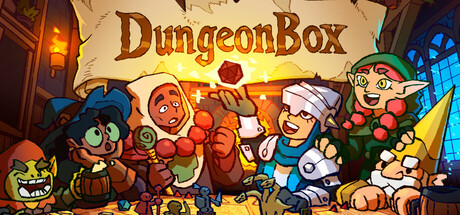
DungeonBox (Steam app 3788110) is hosted on a Windows or macOS computer while players join from phones. Consoles are planned for 2026 but are not the current Steam host path. Foxtail Games LLC targets a full release on December 1, 2026, with a demo available now. Use this page to verify the machine that will show the dungeon—and to understand why party load differs from quiet single-player launches.
Source for the tables below: the public Steam system requirements block for DungeonBox. Always recheck the store page if Foxtail patches the listing.
Windows requirements
Minimum
- OS: Windows 10 64-bit (64-bit processor and OS required)
- Processor: Intel Core i3-2100 / AMD FX-4100
- Memory: 4 GB RAM
- Graphics: Intel HD 4000 or NVIDIA GTX 650 / AMD HD 7750 (DirectX 11)
- Network: Broadband Internet connection
- Storage: 4 GB available space
- Sound: DirectX-compatible sound card
Recommended
- Memory: 8 GB RAM
- (Other recommended fields follow the Steam listing; treat 8 GB as the practical host target for multiplayer nights.)
macOS requirements
Minimum
- OS: macOS 12 (Monterey) 64-bit
- Processor: Intel Core i5 (2014 or newer) or Apple Silicon M1
- Memory: 4 GB RAM
- Graphics: Metal-capable GPU (Intel Iris Pro 6200 or better)
- Network: Broadband Internet connection
- Storage: 4 GB available space
- Sound: Core Audio-compatible
Recommended
- Follow the Steam macOS recommended block as published; prefer extra RAM headroom when running optional AI narration and a full eight-player room.
What the host actually runs
The Steam client renders the shared adventure: prompts, votes, combat voting cards, papercraft views of Lion’s Labyrinth, and narration audio. Guests do not install the full game on phones; they use a browser at dungeon.box with the room code. That architecture shifts CPU/GPU load onto one living-room machine and shifts input load onto Wi-Fi.
Implications:
- Meeting minimum CPU/GPU is usually enough for the 2D/papercraft presentation, but RAM and network decide whether eight phones plus TTS feel smooth.
- Broadband is listed for a reason: online co-op, Remote Play Together, optional AI Dungeon Master calls, and room-code sessions all expect a working uplink.
- 4 GB disk is modest—leave extra free for Steam updates and the demo side by side if you keep both.
Party-load checklist beyond the Steam table
- Phones on stable Wi-Fi — client isolation on guest networks blocks joins; test with How to Join.
- Audio device — computer DM narration uses text-to-speech; Bard playlist stretch goals need audible output.
- Display — seat humans where they can read the shared screen; combat cards and vote tallies are social information.
- CPU fillers — empty seats can be CPU players; that still costs host simulation even when fewer humans attend.
- Content rating and DM mode — these are software toggles, not spec items, but they change how hard narration works. Configure them via the party host checklist.
AI narration and third-party services
When the optional AI Dungeon Master is enabled, the host connects to third-party services for live text and voice (disclosed on Steam as OpenAI GPT-4.1 for text; Inworld and OpenAI TTS for voice). That adds network dependency on top of the broadband requirement. You can disable AI and use a player DM instead—handy on weaker uplinks or offline-leaning living rooms. Quests and art remain human-authored regardless.
Comparing machines for a friend-group buy
| Scenario | Spec advice |
|---|---|
| Two players, player DM, local only | Minimum Win/Mac specs often fine |
| Six to eight phones, computer DM on | Prefer 8 GB RAM, strong Wi-Fi AP, wired host if possible |
| Streaming with hidden room code | Add encoder headroom; follow stream notes in the host checklist |
| Waiting on consoles | Spec this page for Steam now; revisit at 2026 console launch |
Kickstarter backers (9,835 people, about $594k) span many laptop generations—verify before your launch-week party rather than assuming a 2012 i3 still loves eight concurrent sockets.
Pre-flight commands for hosts
- Update GPU drivers (Windows) or macOS itself past 12 if you are near the floor.
- Install Steam, own or demo DungeonBox, and launch once alone.
- Open a second phone on cellular-vs-Wi-Fi to learn failure modes.
- Read Getting Started and How to Play so software confusion is not blamed on hardware.
- Track ship timing on Release Date.
Related tools and guides
- Tools Hub — parent hub.
- Party Host Checklist — night-of runbook.
- Players Hub and Heroes — what your guests will pick once the box boots.
- Guides Hub, Links, wiki — wider navigation.
If your machine clears the Steam table and your access point survives an eight-phone stress join, you are ready for Fireballs, Pickpockets, and Diss Tracks—not for driver archaeology mid-quest.
Frequently Asked Questions
Quick answers for hosts, heroes, and first-time players.
What are the Windows minimum requirements?
Windows 10 64-bit, Intel Core i3-2100 or AMD FX-4100, 4 GB RAM, Intel HD 4000 or GTX 650 / HD 7750 (DX11), broadband, and 4 GB storage.
What Mac do I need?
macOS 12 Monterey or newer, Intel Core i5 (2014+) or Apple Silicon M1, 4 GB RAM, a Metal-capable GPU (Iris Pro 6200 or better), broadband, and 4 GB storage.
Is 4 GB of RAM enough for eight players?
It meets the listed minimum, but 8 GB is the safer host target when you use many phones and optional AI narration.
Do consoles use these specs?
No. These figures are for the Steam Windows and macOS host. Consoles are planned for 2026 with their own platform requirements.